From reference to final shot — keep your vision in view.
Wirelessly monitor compatible Sony cameras on iPhone and iPad, and review photos the moment you shoot. Exposure and color analysis, plus a reference canvas always at hand, give every framing, lighting and on-set decision a solid footing.
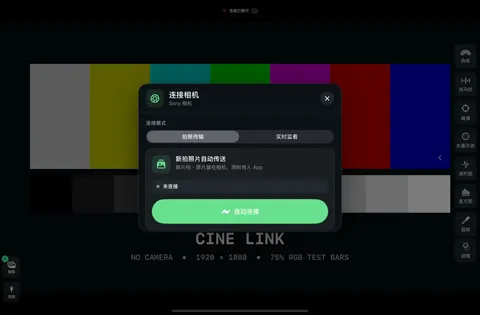

01Wireless live view
Wireless monitoring
Connect your Sony camera and see live view on iPhone or iPad over Wi-Fi.
- Connection method matched automatically for easy pairing
- Exposure and color assist tools to check tones and color
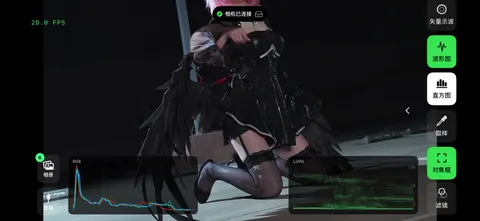

Image quality, frame rate and stability depend on camera model, firmware, settings and the wireless environment.
02Photo transfer & review
Photo transfer
New photos arrive from the camera, saved in the app and to your photo library. Review framing, expression and sharpness on set — no card shuffling.
- Transfers JPEG, HEIF and Sony RAW (ARW) in their original format
- Zoom in on details, swipe to compare, review shots quickly
- Full-resolution decoding, with RAW decoded and shown on device
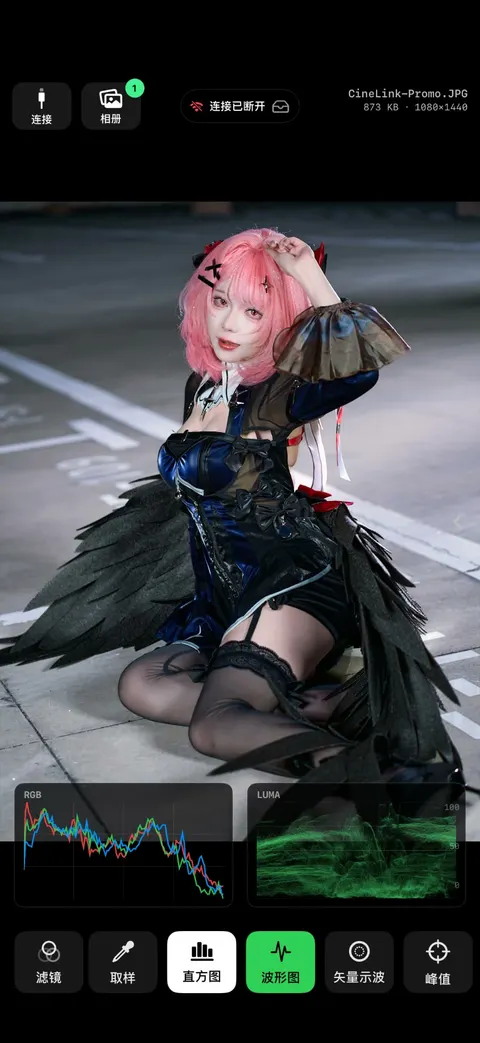

Available formats depend on camera and settings. Deleting removes the app and Photos copies only — never the files on your card.
03Exposure, color & focus tools
Pro tools
From live view to captured photos to references, check focus and analyze exposure and color with one set of tools — so every adjustment on set is grounded.
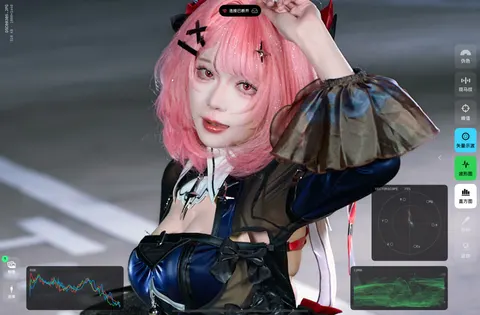

Analysis uses the image the app receives or displays. It's a visual aid — not raw sensor data, and not a substitute for calibrated instruments.
Focus peaking
Highlights sharp edges to help check focus
Zebras
Marks a chosen lightness range to check highlights
False color
Colors separate the tones so levels are easy to read
Histogram
Luma and RGB distribution for overall exposure and color
Waveform
Brightness by position to compare areas of the frame
Vectorscope
Color direction and saturation, with 75% targets
Spot sampler
Tap the frame to inspect local lightness, hue and saturation
04See the frame a different way
Filter modes
Switch between lightness, banded, hue and saturation views to study tonal relationships and color distribution. From live view to photos and references, look closely at what matters to you.
- Adjust the step count and lightness range to see tonal levels clearly
- Up to four hue filter ranges, each with a custom display color
- Saturation range filter keeps only the areas you care about
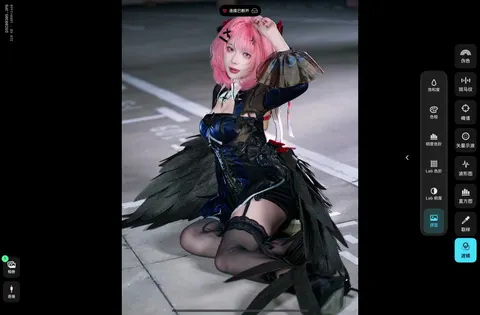

Original
The frame's original tones and color
Lab lightness
Removes color so you can focus on tonal relationships
Lab bands
Groups Lab lightness into levels to read tonal distribution
Lightness bands
Shows lightness in steps to compare highlights and shadows
Hue
Isolates chosen hues to see where colors fall
Saturation
Shows color intensity and isolates a chosen range
05Your shot plan, always in view
Reference canvas
Bring styling, pose, composition and lighting references together on one canvas. Sort out ideas before the shoot and check against them as you shoot, so every adjustment has direction.
- Batch-add photos from your library to build a reference board fast
- Import PureRef 2.1 projects to bring existing references to iPhone or iPad
- Browse and zoom the canvas freely; open a reference to inspect tones and color
- Float a reference over live view and compare as you shoot
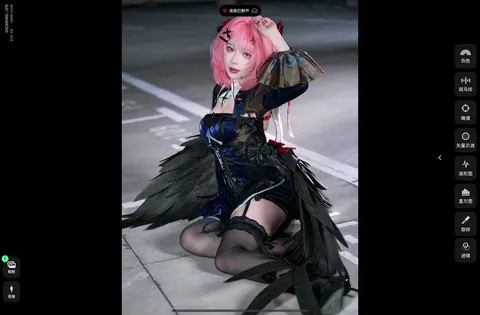

Reads supported images and layout from .pur files; not every PureRef feature is supported.
06Mac uploader
Build it on your Mac. Take it to set.
The companion Cine Link uploader for Mac sends .pur reference projects to your iPhone or iPad over your local network.
- Open "Mac Transfer" on the device, pick it on the Mac
- Enter the 8-digit pairing code and choose a project
- Direct local transfer — nothing goes through the cloud
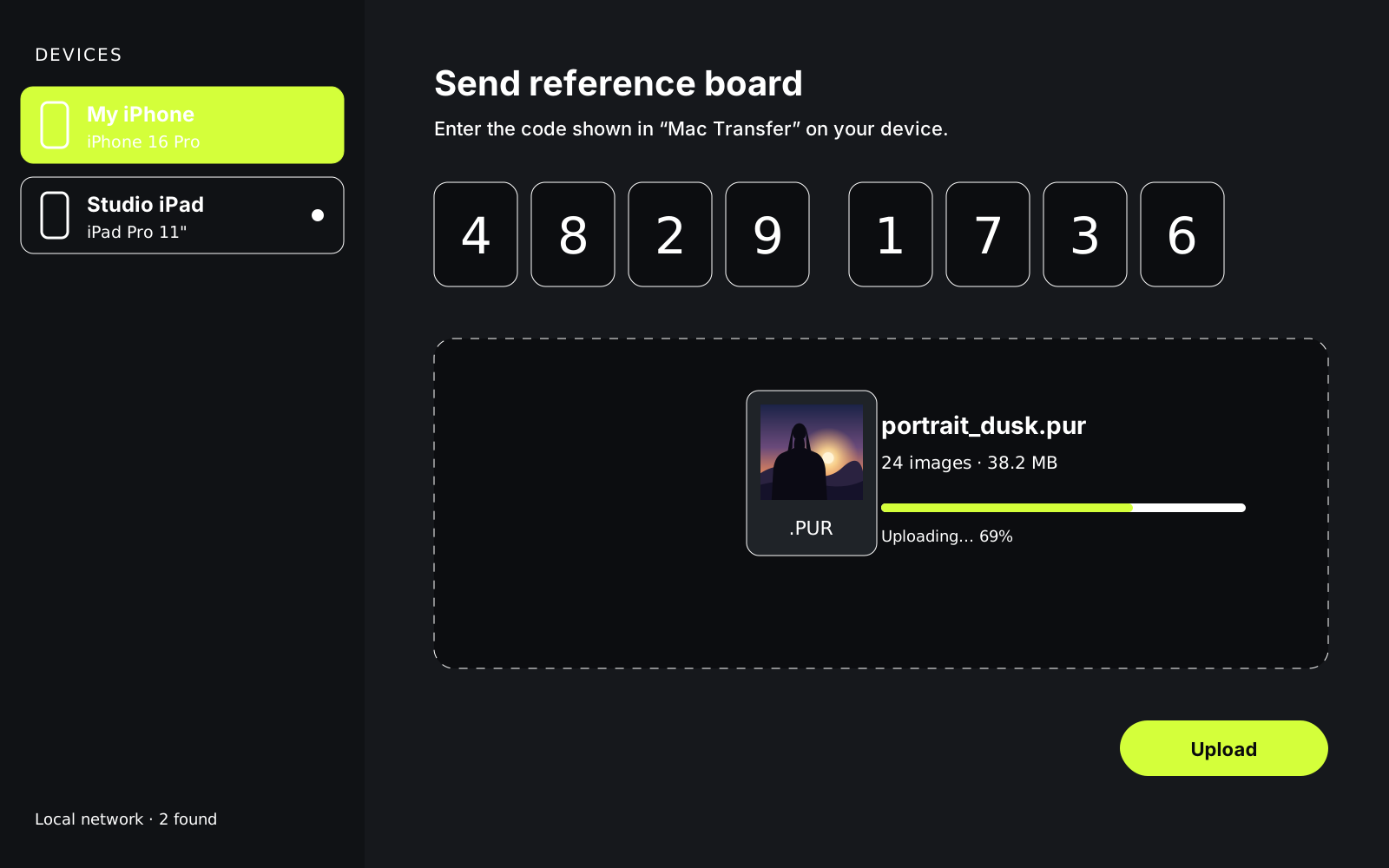
Local network transfer only, not cloud sync. Switching to the camera's hotspot may interrupt it.
Cameras
Supported cameras
Wireless connection currently supports these Sony models. Other models and firmware need individual work.
All image formats verified for transfer; live monitoring verified.
All image formats verified for transfer; live monitoring verified.
All image formats verified for transfer; live monitoring verified.
Platforms & video input
Runs on iPhone and iPad. Compatible iPads can also take video from system-supported UVC cameras or HDMI capture devices. Direct USB camera control is not supported.
- Requires
- iOS / iPadOS 17
FAQ
FAQ
How do I join the beta?
Install Apple's TestFlight from the App Store on your iPhone or iPad, then open the "Join the TestFlight beta" link on this page and follow the prompts to accept and install Cine Link. Requires iOS / iPadOS 17 or later. Spots are limited, and joining pauses when the beta is full.
Do I need a camera to use it?
No. The reference canvas, image viewer and analysis tools work on their own. Wireless monitoring and photo transfer need a compatible camera.
Does it work with every Sony camera?
Currently the A7 V, A7R V and A7C II are supported. Other models and firmware versions need individual work — see the compatibility table above.
Can it save RAW files?
Yes. Sony ARW files are received and saved in their original format, with a quick preview and full decode on demand. Available formats depend on camera and settings.
Can I transfer photos and monitor at the same time?
Not yet. Photo transfer and live monitoring are separate modes; switching between them reconnects to the camera.
Does transfer keep running with the screen locked?
Background time is managed by iOS and is limited. Dynamic Island and Lock Screen updates don't mean a permanent background connection.
Are my references uploaded to the cloud?
No. Images are imported from your device, and the Mac uploader sends projects directly over your local network.
How do I troubleshoot connection problems?
Turn on "Live Diagnostics" in the connection window (off by default on each launch), reproduce the issue, then send us the diagnostics with your camera model, firmware and steps. Never send passwords or credentials.
Now in beta
Install Apple's TestFlight on your iPhone or iPad, then tap the button to join. Spots are limited and joining pauses when full. Don't see your camera listed? Get in touch.